CSE 140L Lab 4 Minimun Clock Cycle & Limiting Path Tutorial
This tutorial is going to briefly introduce how to identify minimum clock cycle and limiting path in a quick way using Quartus II classic timing analyzer.
1. In the main menu, choose Processing -> Classic Timing Analyzer Tool.
2. Click Start to perform the analysis.
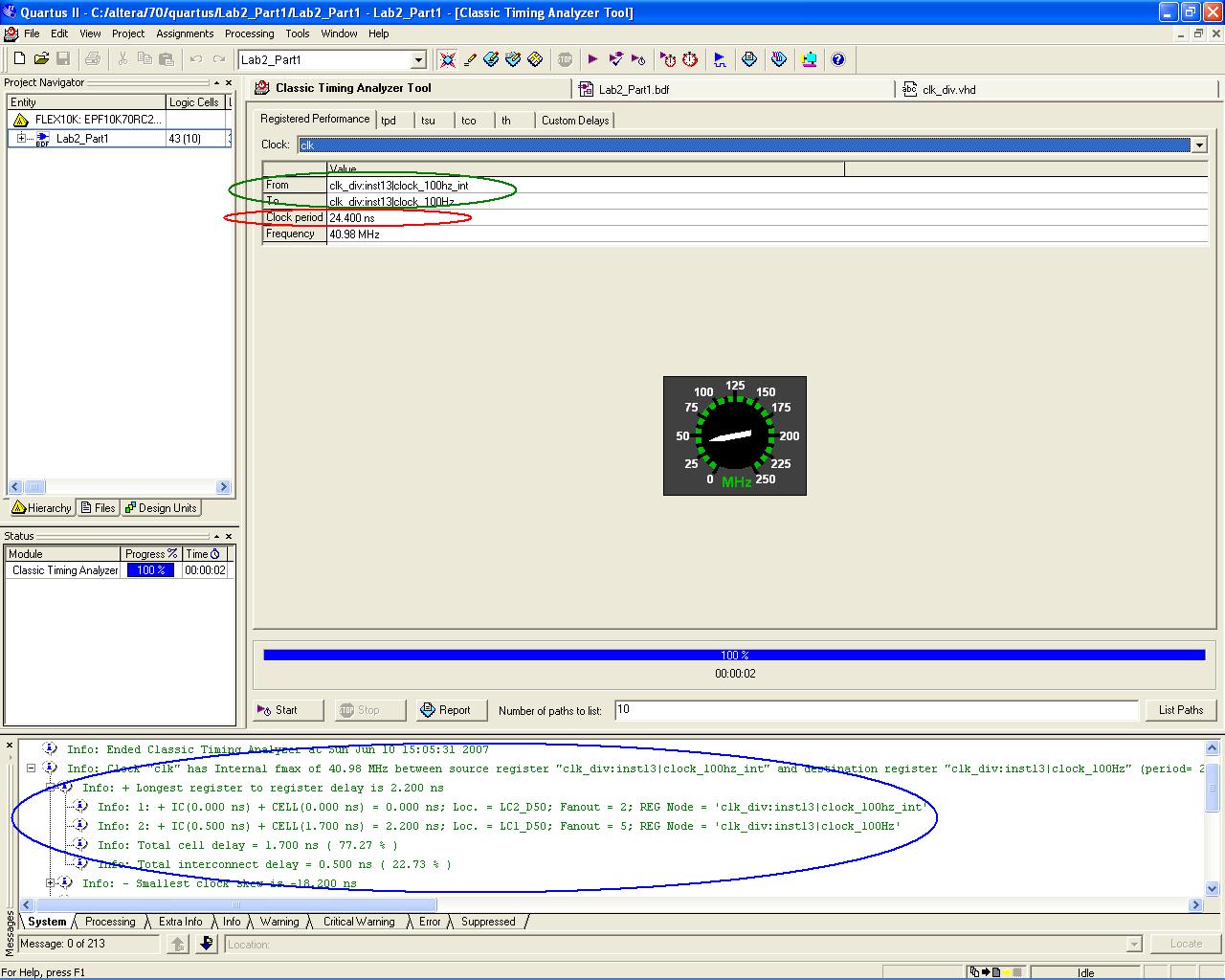
3. Find out the minimum clock period in the red cycle.
4. Right-click the critical path (From/to cell), as highlighted using the green cycle.
5. In the message window below, expand the path that was just generated with the minimum clock period (fmax = maximum frequency); find the critical path (blue cycle).
Note: you may find the critical path has identical source and destination registers. This is possible to happen.