Lecture #5: Data types
Bob Pitha
CSE 5a
bpitha@cs.ucsd.edu
http://www-cse.ucsd.edu/classes/fa99/cse5a
data types
• Variables in C must have a data type
– integers and floating-point numbers
– the following are the basic C data types:
•
char
• short int (or just “short”)
•
int
• long int (or just “long”)
•
float
•
double
• long double
how to know which to use?
• The C standard does not say how big each type is
– “big” in this case meaning how many bytes
– which basically means how big a range on numbers it can hold
• But the standard does make a few guarantees
• For now, you’re probably safe sticking with
– char for characters
– int for integers
– double for real numbers
why have data types?
• Some languages don’t
– but they’re the exception, not the rule
• The computer itself may have types
– some computers handle integers differently from real numbers
• Performance
– old computers did everything with integers
– calculations involving real numbers were slow
• Safety
– the compiler can catch some errors
bits are fundamentally typeless
• The computer doesn’t store the type, just bits
– the same data can be interpreted differently depending on what type you tell the computer it is
• 01000000000000000000000000000000
– hex: 0x40000000
– Integer: 1073741824
– Floating-point: 2.0
– String: “@”
integral types
• char is 1 byte (0-255)
• short is usually 2 bytes
– but can be anything between char and int
• int is usually 4 bytes
– whatever the computer’s most efficient integer size is
– guaranteed at least 2 bytes (-32768 to 32767)
• long is usually 4 or 8 bytes
– can be anything equal to or bigger than an int
– used when you know you need to deal with really big numbers
– guaranteed at least 4 bytes (-2,147,483,648 to 2,147,483,647)
integral types continued
• short is rarely used
– we won’t worry about it in this class
• int is most commonly used
– what we’ll use most often in this class
char – a special integral type
• Used to store characters
– letters
– digits
– keyboard symbols
– some unprintable characters
• Remember – in the computer, everything is numbers
– even text
text as numbers
• Every character is assigned a numeric code
• There are different sets of codes
– ASCII
• most common
– EBCDIC
• dinosaur
– Probably others
• We will only consider ASCII in this class
– but there’s nothing intrinsic in C that specifies this
what is ASCII?






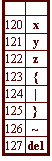
more about character encoding
• Most of the time, you don’t care what the particular numbers are
• Usually fit in a byte
– 0 to 127 uses 7 bits
– extended ASCII has 256 codes (8 bits)
• ASCII code 0 is important
– this is the nul character
– we’ll see it again
• Note contiguous sets of characters
– all digits
– all capital letters
– all lower-case letters
int
• The most common integer type
• Used when you have no specific reason to pick one of the others
– use short when space is at a premium
– use long when your numbers may be greater than 32,767
– it’s the most efficient integer type
double
• The most efficient floating-point type
• Used when you have no specific reason to pick one of the others
– float – when space is at a premium
– long double – when you need very precise or very big numbers
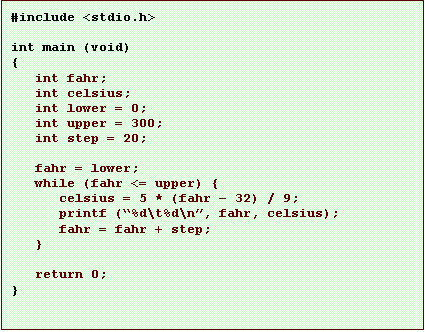
let’s look at an example

what does this do?
• This program will print out a temperature conversion table
– prints a fahrenheit temperature and its celsius equivalent
– for fahrenheit temperatures from 0 to 300 at 20 deg. intervals
let’s look more closely
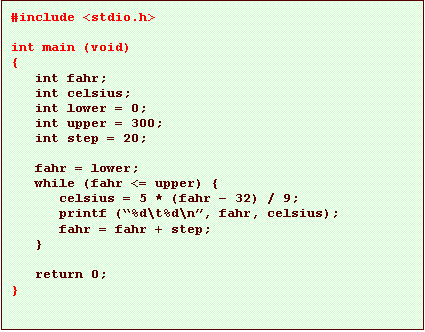
• Remember, this stuff goes on all our programs
let’s look more closely
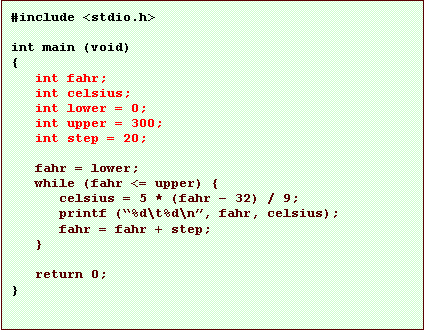
• Here we declare five variables
– they are all ints
– we will talk about delcarations soon
– basically, this creates five variables we can use later in the program
let’s look more closely
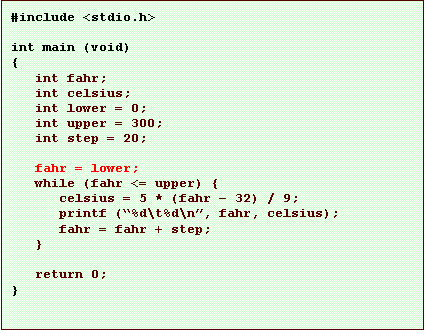
• This is an assignment statement
– this sets the value of a variable
• in
this case, it sets the value of fahr
• to the value of lower, which is 0
let’s look more closely
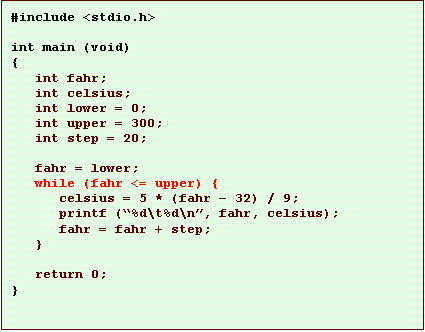
• This is a loop
– we’ll get to loops in a while
– this will repeatedly execute the following 3 statements
• as
long as fahr is less than
or equal to upper
let’s look more closely
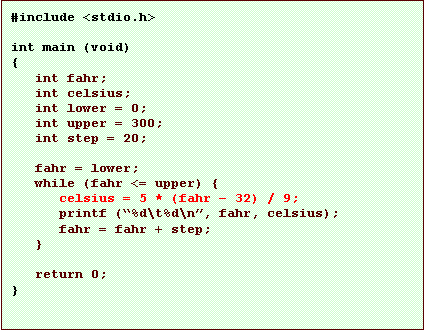
• This is another assignment statement
– this
time, we set the value of celsius
• to an arithmetic expression
• this
calculates a celsius equivalent to the value of fahr
let’s look more closely
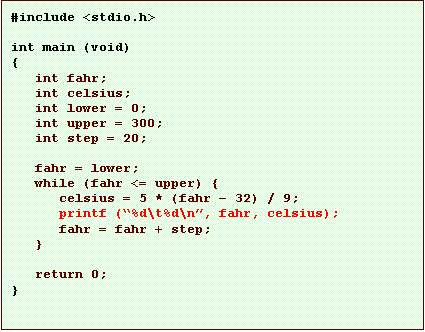
• Here’s another use of printf to print things out
– this is more complex than we’ve used before
– it prints the values of two variables
let’s look more closely
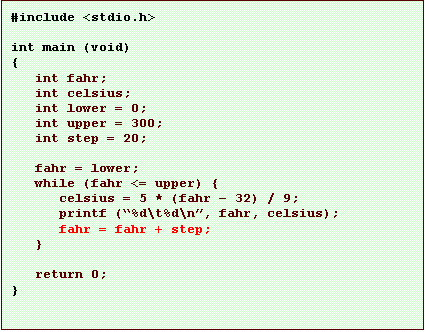
• Another assignment
– changes the value of fahr by adding the value of step to it
let’s look more closely
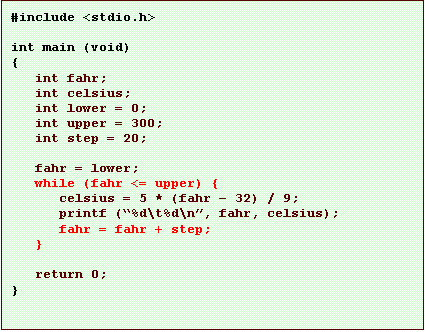
• These statements work together
– the
loop runs until fahr is
greater than upper
– the assignment increments fahr each time
– the
net effect is that fahr
goes from lower to upper
let’s look more closely