Lecture #4: The C Language

CSE 5A

Bob Pitha

bpitha@cs.ucsd.edu

http://www-cse.ucsd.edu/classes/fa99/cse5a

class business

•      No office hours this afternoon

–   will start on Wednesday

•      A course outline will be posted on the web page by Monday.

•      Discussion section is not mandatory, only recommended

a second example

•      Here’s another example C program

–   it’s not much more sophisticated

–   it also doesn’t do much of any practical use

Text Box: /*
 * This program prints a list of
 * integers, from 0 to 9.
 */

#include <stdio.h>

int main (void)
{
   int i;

   for (i = 0; i < 10; i = i + 1)
      printf (“i is %d\n”, i);

   return 0;
}


new concepts

•      Variables

•      Loops

variables

•      How we manipulate data in our program

•      Name associated with some memory

•      Has a specific data type

•      In this program:

–   a variable named i is used to hold an integer value

–   as the program runs, i’s value goes from 0 to 9

Text Box: #include <stdio.h>

int main (void)
{
   int i;

   for (i = 0; i < 10; i = i + 1)
      printf (“i is %d\n”, i);

   return 0;
}


loops

•      A way of repeating the same instructions over and over

•      C provides some flexible ways of deciding how many times to loop, or when to exit a loop

second example

Text Box: /*
 * This program prints a list of
 * integers, from 0 to 9.
 */

#include <stdio.h>

int main (void)
{
   int i;

   for (i = 0; i < 10; i = i + 1)
      printf (“i is %d\n”, i);

   return 0;
}


•      So let’s look at this example again…

second example

Text Box: /*
 * This program prints a list of
 * integers, from 0 to 9.
 */

#include <stdio.h>

int main (void)
{
   int i;

   for (i = 0; i < 10; i = i + 1)
      printf (“i is %d\n”, i);

   return 0;
}


•      Here’s that include directive again.

–   like before, this allows printf to work

–   we’ll just do it now, without worrying about why

second example

Text Box: /*
 * This program prints a list of
 * integers, from 0 to 9.
 */

#include <stdio.h>

int main (void)
{
   int i;

   for (i = 0; i < 10; i = i + 1)
      printf (“i is %d\n”, i);

   return 0;
}


•      And like before, this line introduces our main function.

–   remember that main is where the program starts running

second example

Text Box: /*
 * This program prints a list of
 * integers, from 0 to 9.
 */

#include <stdio.h>

int main (void)
{
   int i;

   for (i = 0; i < 10; i = i + 1)
      printf (“i is %d\n”, i);

   return 0;
}


•      These braces enclose blocks of statements.

–   a function is an example of a block

second example
Text Box: /*
 * This program prints a list of
 * integers, from 0 to 9.
 */

#include <stdio.h>

int main (void)
{
   int i;

   for (i = 0; i < 10; i = i + 1)
      printf (“i is %d\n”, i);

   return 0;
}


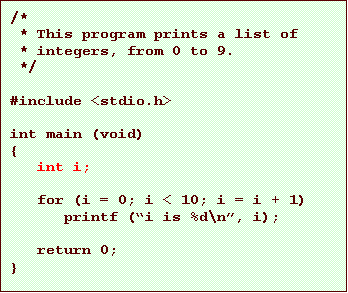
•      This line introduces a variable.

–   it’s called a declaration

–   it tells the compiler that we’ll be using a variable

•   named i

•   it holds an integer

second example
Text Box: /*
 * This program prints a list of
 * integers, from 0 to 9.
 */

#include <stdio.h>

int main (void)
{
   int i;

   for (i = 0; i < 10; i = i + 1)
      printf (“i is %d\n”, i);

   return 0;
}


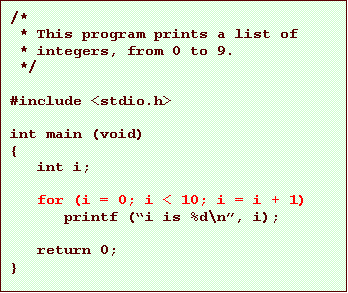
•      Here is a loop

–   it will execute its contents 10 times

–   each time, i will have a different value

•   from 0 to 9

second example
Text Box: /*
 * This program prints a list of
 * integers, from 0 to 9.
 */

#include <stdio.h>

int main (void)
{
   int i;

   for (i = 0; i < 10; i = i + 1)
      printf (“i is %d\n”, i);

   return 0;
}


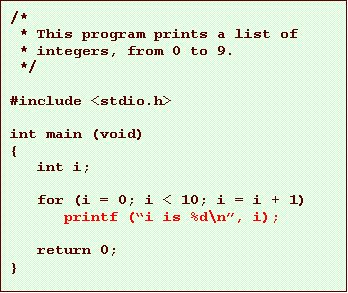
•      This statement is the “contents” of the loop

–   so it gets executed 10 times

i is 0

i is 1

i is 2

etc.

we could have written it like this…

Text Box: /*
 * This program prints a list of
 * integers, from 0 to 9.
 */

#include <stdio.h>

int main (void)
{
   int i;

   printf (“i is 0\n”);
   printf (“i is 1\n”);
   printf (“i is 2\n”);
   printf (“i is 3\n”);
   printf (“i is 4\n”);
   printf (“i is 5\n”);
   printf (“i is 6\n”);
   printf (“i is 7\n”);
   printf (“i is 8\n”);
   printf (“i is 9\n”);

return 0;
}


ok, what’s going on here?

•      We’ve just seen 2 simple programs

•      These are C programs

–   not machine language

•   the C compiler is used to turn them into something the machine understands

•      The C compiler is itself a program

–   it reads the C program you write

–   it writes out (hopefully) a program the computer can run

remember what a program is

•      The real program is just numbers

•      A C program is a sequence of C instructions

–   we can define variables to hold our data

–   we write C statements to do things with our data

–   we can group our statements into functions

so what’s a compiler?

•      A compiler is a program that converts a C program into machine language

–   remember, the computer can only run machine language

so let’s look at the whole process

•      Write a program

–   text editor

•      Compile the program

–   C compiler

–   Will do one of two things:

•   print error messages

•   produce an executable program

•      Run the program

let’s talk about this variable concept…

•      Variables are central to almost any C program

•      They are your program’s data

–   the information your program works with

•      If you want to store any data for use elsewhere in the program, you need to use a variable

variable declarations

•      Before you can use a variable, you must declare it.

–   a declaration introduces a variable name

–   associates it with a data type

–   sets some optional characteristics called qualifiers

variable names

•      Identifiers

–   used for all sorts of names (e.g. function names)

–   rules

•   letters, digits, underscore

–   i
–   CSE_5a
–   a_VERY_long_variable_name_that_isnt_very_useful
–   fahrenheit

•   first character cannot be a digit

–   5a_cse is not legal

•   case sensitive

–   CSE_5a is different from cse_5a

–   some identifiers are already taken: keywords