Bus / Register Tutorial
Since you will be required to use buses and registers in lab 4, we will make a macro for a register that uses a 4bit bus for the data input and a 4-bit bus for the data output. You will need to make a similar macro for all your components that uses buses, so this will be a good jumping off point
- Insert a FD4CE register into schematic editor
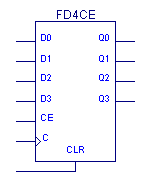
- Since this is a macro and not a final project, we need to create terminals for clock, clock enable, and clear:
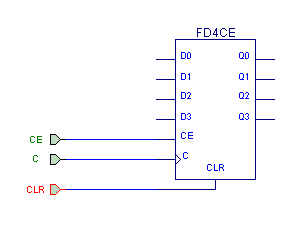
-
Select the draw bus tool:
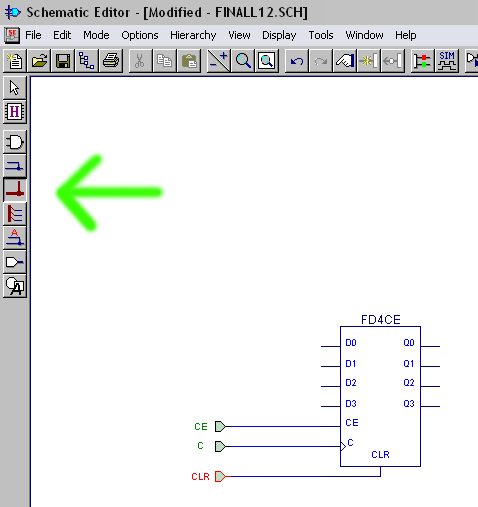
- Single click at the point where you want the bus to begin, then move your mouse where you want the bus to end, and right click, then select "add bus terminal" (remember that we are making a maco here so we use terminals)
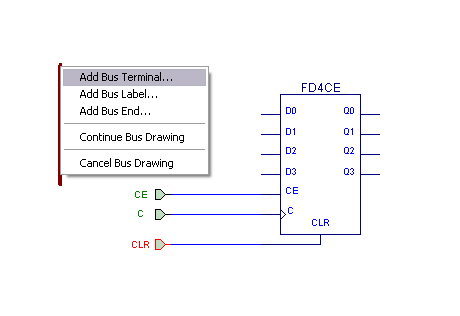
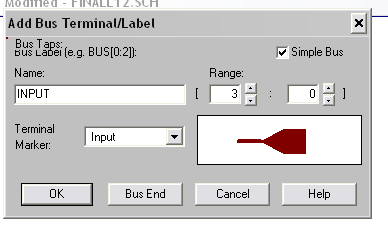
- In the box that pops up, type a name for your bus, define the range, and set it to be input or output. In this case, we will just call it "input". Since it needs to carry 4 bits of data, we will make it a 3:0 bus, and we will set the terminal marker to input:
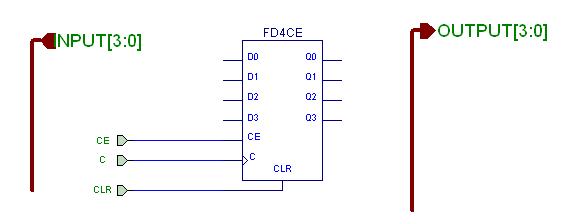
- Do the same to make the bus for the output, but change the terminal marker to output. Our schematic should now look like this:
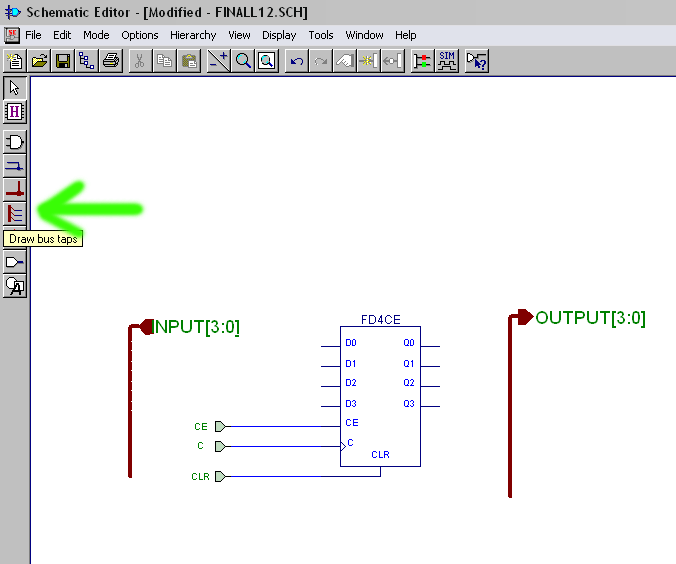
- We now need to connect the bus to the pins of the register. We do this by using the "draw bus taps" tool:
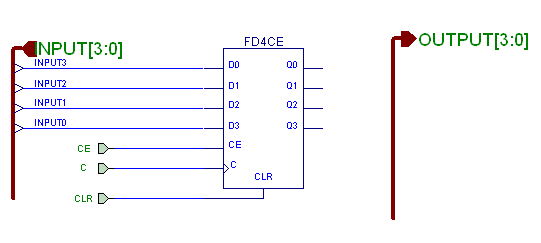
- After you have selected the tool, click on the bus you want to tap once, and then click on all the pins that you want to connect it to. You only need to click on the bus ONCE, otherwise it will tap the wrong wire in the bus. If everything works out, the wires coming out of the bus should be numbered 3, 2, 1, and 0, as shown below:
- Do the same for the output bus. Be sure that the pins nearest the terminal are labeled in the same was as they are on the input side, otherwise your data will be flipped around. Your schematic should now look like this:
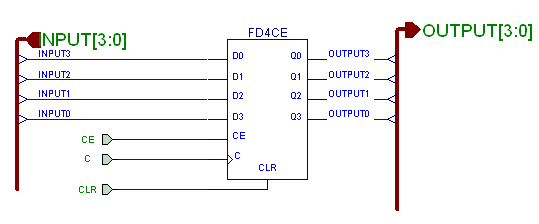
- Make a macro for this now by going to the hierarchy menu and selecting "create macro symbol from current sheet". Then type a name for the macro and click OK. You should now have a macro to use in your project. Below is an example that shows two of these registers linked up. When we are connecting a bus to pads and buffers, instead of selecting "add bus terminal" for the bus end, just select "add bus end". NOTE that this circuit is pointless, but demonstrates how to connect items using buses, and how to connect buses to bufs and pads.
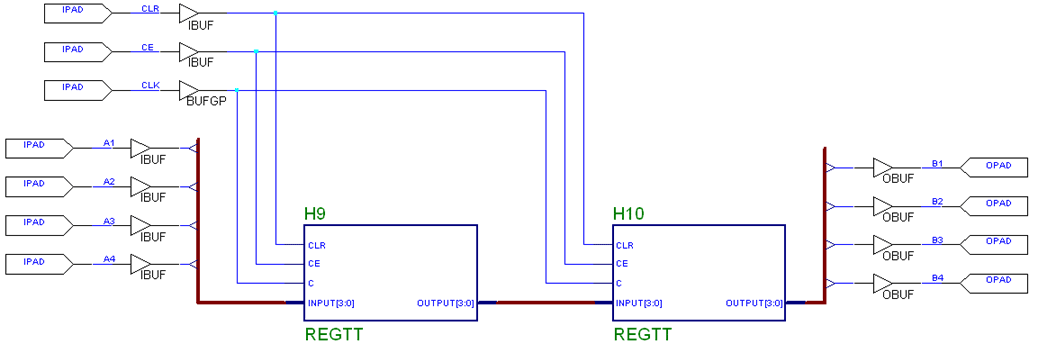
In this example, the buses we added were not super helpful, but when you get into bigger circuits, they become critical. Good Luck